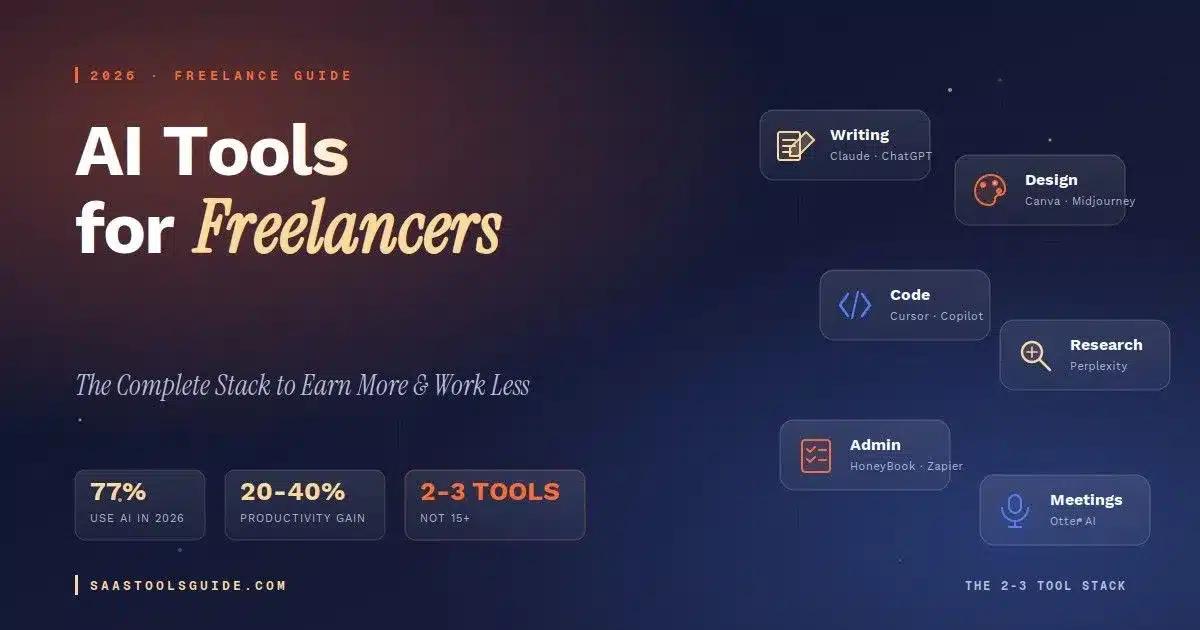
TL;DR — The best AI tools for freelancers in 2026 are not a list of 30 apps. They’re a tight stack of 2–3 tools matched to your actual workflow: one general-purpose assistant (Claude or ChatGPT), one specialist tool for your craft (design, code, or research), and one admin helper for client work. Freelancers who adopt AI consistently report 20–40% productivity gains — not from using more tools, but from using the right ones, well. If you’re running a one-person operation, our full best AI tools for solopreneurs guide covers the same principles in more depth.
Why AI Tools Matter for Freelancers Right Now
Freelancing in 2026 looks different than it did even two years ago. AI adoption among independent professionals has crossed the tipping point — roughly 77% of freelancers now use AI tools in their workflow, and those who do consistently report productivity gains between 20% and 40%. That isn’t a marginal edge. It’s the difference between working evenings to hit deadlines and logging off at 5pm. But there’s a second story underneath the productivity stat. Clients have direct access to the same AI tools you do.
The low-end work that used to fill freelance platforms — logo mockups, short blog posts, basic copywriting, simple data entry — is increasingly handled in-house by clients who just type a prompt. If you’re still selling those deliverables at the same price, you’re in trouble. If you’re using AI to do higher-order work faster, you’re winning. The freelancers thriving right now aren’t the ones who know the most tools. They’re the ones who built a sharp, minimal AI stack and use it every day. For a growth-focused view of how entrepreneurs are assembling their stacks, see our best AI tools for entrepreneurs in 2026 playbook.
How to Choose the Right AI Tools (Framework Before the List)
Before you bookmark another “top 30 AI tools” article, run any tool through these four questions. Does it replace a task you do more than twice a week? If not, skip it — the ROI isn’t there. Does it save at least 30 minutes per use? Small savings get eaten by context-switching. Is the free tier enough for 60 days of real use? Don’t pay until you’ve proven the workflow.
Does it integrate with the tools you already use? A disconnected tool dies in your browser tabs. A usage analysis referenced widely across freelance communities found that focused use of a single AI assistant over 30 days outperformed using ten tools at a low level. The lesson: depth beats breadth. Pick fewer tools and get genuinely fluent with them. Browse our full AI Tools category if you want to compare options head-to-head.
The Best AI Tools for Freelancers, by Category (2026)
Instead of ranking tools head-to-head, here’s the map most freelancers actually need — one or two proven picks per workflow stage, with a note on what each one replaces.
1. General-Purpose AI Assistants
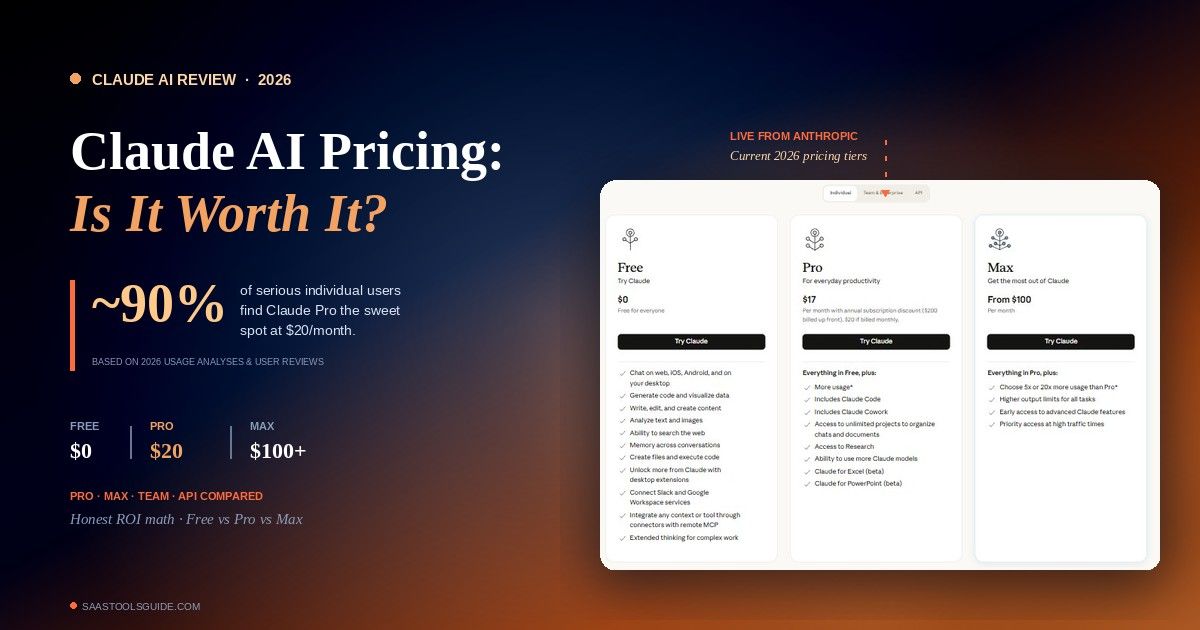
Every freelancer needs one. This is the tool you’ll open 20 times a day for drafts, edits, quick research, brainstorming, rewording client emails, and thinking out loud. Claude by Anthropic is the strongest pick for writing, long documents, nuanced reasoning, and any task where getting the tone right matters. Freelancers consistently report that Claude Pro at $20/month beats alternatives for long-form work and editing, and the free tier is genuinely useful.
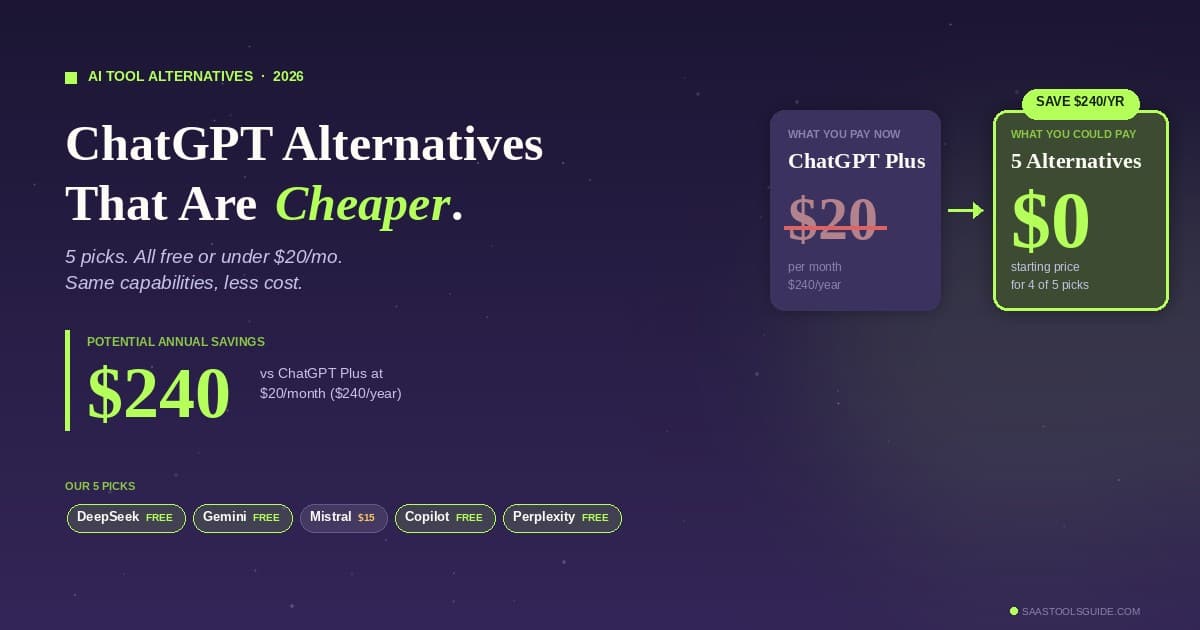
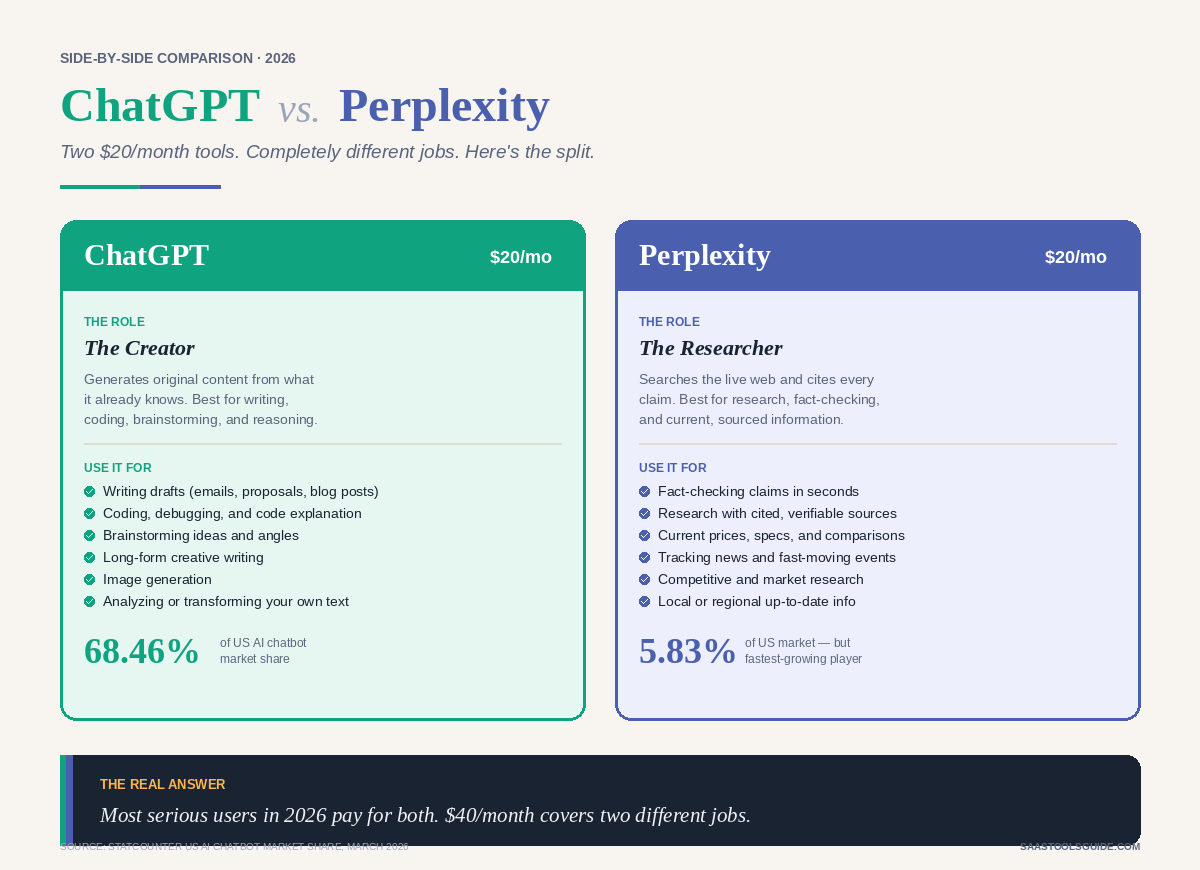
If you’re new to it, our what is Claude AI guide covers features, use cases, and how it works. ChatGPT by OpenAI is the most versatile all-rounder — great for coding help, quick research, image generation, and voice conversations. Free tier is generous; Plus is $20/month. Which should you pick? If your work involves writing, strategy, or client communication, start with Claude. If you’re more code- or image-heavy, start with ChatGPT. Many freelancers end up using both and bouncing between them based on task — but start with one and get fluent with it before adding the second.
2. AI Research Tools
Perplexity works like a search engine that reads the web for you and hands back a cited answer. Ideal for competitive research, fact-checking, and industry briefings. Free tier is strong; Pro is $20/month for heavier use. If you already pay for Claude or ChatGPT with web search, you may not need a separate research tool — try Perplexity free alongside your assistant and see which fits your flow. What it replaces: 45 minutes of tab-hopping through Google results per research task.
3. AI Writing & Editing Tools
Grammarly is still the gold standard for proofreading, tone adjustments, and catching the grammar slips a general AI misses. Free tier covers basics; Pro is around $12/month billed annually. Jasper is built specifically for marketing content with templates for blog posts, ads, product descriptions, and email sequences. Worth it if content is your primary service; overkill if you just need occasional drafts. Starts around $39/month.
Notion AI is the lowest-friction writing assistant if you already live in Notion for notes and docs — it lives inside the document you’re already writing. This category moves fast, so if you want to see what’s new each month check our AI writing tools updates for April 2026 and the broader AI writing tools updates 2026 roundup. What it replaces: manual proofreading rounds, blank-page paralysis, generic templates.
4. AI Design Tools
Canva AI (Magic Studio) is the easiest design AI for non-designers. It generates images, writes copy in templates, resizes assets across formats, and removes backgrounds. Magic Studio tools are part of all Canva plans — even the free one. Midjourney is still the quality benchmark for AI image generation — better for mood boards, concept art, and stylized imagery. Starts at $10/month. Adobe Firefly is integrated into Photoshop, Illustrator, and Express; best if you already pay for Creative Cloud. If your work leans toward short-form video for clients (reels, ads, product demos), see our breakdown of the best free AI image-to-video tools 2026. What it replaces: stock photo subscriptions, basic graphic design outsourcing, endless template scrolling.
5. AI Coding Tools
GitHub Copilot is the default for code completion inside your editor at $10/month for individuals. Cursor is an AI-native code editor that’s become wildly popular with freelance developers in 2025–2026 because it understands your whole codebase, not just the current file. Claude Code and ChatGPT both work well for architectural decisions, debugging, and explaining unfamiliar code — use alongside your editor. What it replaces: Stack Overflow searches, boilerplate typing, “wait, how does this library work” detours.
6. AI Meeting & Transcription Tools
Otter.ai records and transcribes client calls, extracts action items, and generates summaries. Free tier covers 300 minutes/month — enough for most solo freelancers. Fathom and Fireflies are strong alternatives with deeper CRM integrations if you run a lot of discovery calls. What it replaces: frantic note-taking during calls, “wait, what did they say about the budget?” moments after.
7. AI Admin & Client-Management Tools
This is where the biggest time savings hide for most freelancers. The non-billable work — proposals, follow-ups, invoices, contracts, client support — is where AI earns its keep. HoneyBook is a CRM for service-based freelancers with AI that drafts proposals, generates contracts, follows up on quiet leads, and handles invoicing. Around $19–$39/month depending on tier.
Zapier isn’t an AI tool by itself, but it’s the glue that wires your AI tools to everything else — auto-generate invoices from accepted proposals, post meeting notes to Notion, sync leads to your CRM. Free tier works for most solo use. For a fuller view of process automation beyond Zapier, check our workflow automation software guide. And if you handle client support as part of your service delivery, our AI tools for customer support 2026 roundup is worth a read. What it replaces: hours of “boring but important” admin every week.
8. AI Project Management Tools
Whichever task manager you already use probably has AI baked in now. ClickUp AI, Asana Intelligence, and Notion AI all summarize project status, draft update emails for clients, and break big deliverables into tasks. Premium and Business tier Asana plans include the Intelligence feature at no additional cost. What it replaces: weekly “where are we at” time-sinks.
The Freelance AI Stack That Actually Works (2–3 Tools, Not 15)
Here’s what a sensible 2026 freelance AI stack looks like across three common freelance specialties. A content writer or copywriter does well with Claude Pro ($20) for drafting, editing, and client briefs; Grammarly Free for final polish; and Otter.ai Free for client calls. A designer or creative usually pairs ChatGPT Plus ($20) for briefs, client comms, and research with Canva Pro and Magic Studio ($15) for production design, plus Midjourney ($10) for mood boards and concept art.
A freelance developer gets the most out of Cursor or Copilot ($10–$20) for in-editor coding, Claude Pro ($20) for architecture, debugging, and docs, and Otter.ai Free for client calls. Total monthly cost across any of these stacks lands somewhere between $30 and $65. For a freelancer billing even $50/hour, these tools pay for themselves if they save one billable hour a month — and realistically they’ll save you dozens. If you’re bootstrapping and want to start entirely free before upgrading anything, browse our free AI tools category first.
What Clients Expect from AI-Enabled Freelancers Now
A shift worth understanding: clients in 2026 are no longer impressed that you use AI. They expect it. What they want is the benefit of your AI usage — faster delivery, more reliable quality, and clearer communication — without the risks of generic output. Three things clients increasingly want to see are transparency about where AI contributed to a deliverable, strategic judgment that AI can’t replicate (why this approach, why this angle), and outcome-based pricing rather than hourly billing — because they know AI made you faster. The freelancers winning bigger contracts are the ones selling outcomes, not hours. AI made the hour cheaper; make sure you’re not still selling it.
5 Common Mistakes Freelancers Make with AI Tools
The first is collecting tools instead of mastering them — every new tool is a new login, a new interface, and a new tax on your attention. The second is letting AI write in its voice, not yours; clients can smell generic AI output from a mile away, so always feed the tool your brand voice, examples, and context.
Third, freelancers often forget to disclose AI usage in sensitive work; legal, medical, and some enterprise clients have AI-use policies and you should ask first. Fourth, trusting AI research without verification is risky — AI tools still hallucinate citations and stats, so always spot-check anything load-bearing. Fifth and most important, don’t use AI to scale bad work; if your offer is weak, AI just helps you deliver weak work faster. Fix the strategy before you scale the execution.
Frequently Asked Questions
What is the best AI tool for freelancers in 2026?
For most freelancers, the single best starting tool is Claude or ChatGPT at $20/month. Both cover writing, research, brainstorming, and client communication. Add a specialist tool (design, code, meetings) only after you’ve gotten fluent with your main assistant. If you want a detailed walkthrough of Claude before picking, start with our what is Claude AI guide.
Are there free AI tools for freelancers that are actually worth using?
Yes. The free tiers of ChatGPT, Claude, Perplexity, Canva AI, Grammarly, and Otter.ai are genuinely useful for light-to-moderate use. Start free, upgrade only when you hit the limits on work you’re already doing. Our free AI tools category has more no-cost options worth trying.
Can AI really save freelancers that much time?
Industry data suggests 20–40% productivity gains for consistent users. In practice, that usually shows up as 1–2 hours saved per day on drafts, emails, research, and admin — time you can either bill to more clients or take back.
Will AI replace freelancers?
AI is replacing tasks, not freelancers. Routine deliverables (basic copy, simple graphics, stock-style writing) are getting commoditized. Strategy, judgment, taste, and client relationships are not. Freelancers who move up the value chain and use AI as leverage are earning more in 2026, not less.
How do I keep my writing voice when using AI?
Feed the tool 3–5 samples of your writing and ask it to match tone, rhythm, and phrasing. Never publish first drafts. Edit everything heavily. The AI should accelerate you, not replace you.
Is it ethical to use AI on client work?
Generally yes, with transparency. Most clients are fine with AI-assisted work when it’s clearly labeled and the final output meets their standards. Some industries (legal, medical, regulated enterprise) require explicit disclosure. When in doubt, ask upfront.
The Bottom Line
The freelance landscape in 2026 rewards AI-fluent professionals and quietly punishes those who avoid the tools. But “AI-fluent” doesn’t mean “uses 20 apps.” It means you’ve built a tight stack, know the workflows cold, and use the time saved to deliver better strategic work. Start with one general-purpose AI assistant. Use it every day for 30 days. Add a second tool only when you can name the specific task it handles better. That’s it. That’s the stack. The goal isn’t to work with AI. The goal is to build a freelance business where AI is the quiet infrastructure, and your judgment, taste, and relationships are what clients actually pay for.
Need help building your AI-powered freelance workflow — or scaling it into a full service business? [Your agency specializes in AI automation, digital growth, and full-stack workflow design for solo professionals and agencies. Get in touch →]
Related Reading on SaaS Tools Guide
- Best AI Tools for Solopreneurs in 2026: The Honest, Tested Stack
- Best AI Tools for Entrepreneurs in 2026: The Growth-Lever Playbook
- Best AI Tools for Small Businesses: Top Picks to Save Time and Grow Faster
- Best AI Tools for Business: Top Platforms to Boost Productivity and Growth
- What Is Claude AI? Features, Uses, Benefits, and How It Works
- AI Writing Tools Updates: What’s New, What Matters, and What to Watch in 2026
- Workflow Automation Software: Best Tools, Features, and How to Choose