Running a one-person business in 2026 doesn’t mean doing everything yourself anymore — it means knowing which AI tools actually earn their monthly fee and which ones are hype wrapped in a landing page.
In the US alone, more than 41 million people now run solo businesses, and the percentage of solo-founded startups climbed from 30.5% in 2024 to over 36% last year. That shift isn’t happening because people suddenly got braver. It’s happening because a well-built AI stack can now replace what used to require a part-time assistant, a freelance designer, a bookkeeper, and a social media manager — for roughly $75 to $150 per month.
This guide is built from real use, not spec sheets. Every tool below has been stress-tested in actual solopreneur workflows — client work, content publishing, sales follow-up, invoicing, the unglamorous admin tax that eats 10–15 hours a week. No affiliate fluff, no “top 50” padding. Just the tools that hold up.
What Changed in 2026 (And Why Your Old Stack Probably Needs an Update)
Three shifts matter this year, and they’re the reason a 2024 “best AI tools” list is now basically outdated:
1. Free tiers caught up. ChatGPT Free and Claude Free in 2026 are more capable than most paid tools from 2023. NotebookLM is genuinely free and replaces research tools that used to cost $99/month. If you’re early-stage and broke, you can build a surprisingly functional stack at $0.
2. AI moved from “chat” to “agents.” The big unlock isn’t a smarter chatbot — it’s AI that actually does the work. Tools like Claude’s Cowork and the growing Model Context Protocol (MCP) ecosystem let AI connect to your email, calendar, CRM, and files to execute multi-step tasks end-to-end. This is the line between “using AI” and “AI running parts of your business.”
3. Consolidation is winning. Solopreneurs are ditching 7–10 separate subscriptions in favor of 3–4 platforms that each do several jobs well. The $400/month tool sprawl of 2024 is becoming a $120/month focused stack in 2026.
Now, the tools themselves — organized by the job they do, not by vendor popularity.
AI Assistants: The Foundation of Your Stack
Every solopreneur needs at least one generalist AI assistant. Most serious operators run two because their strengths genuinely differ.
ChatGPT — Best All-Purpose Assistant
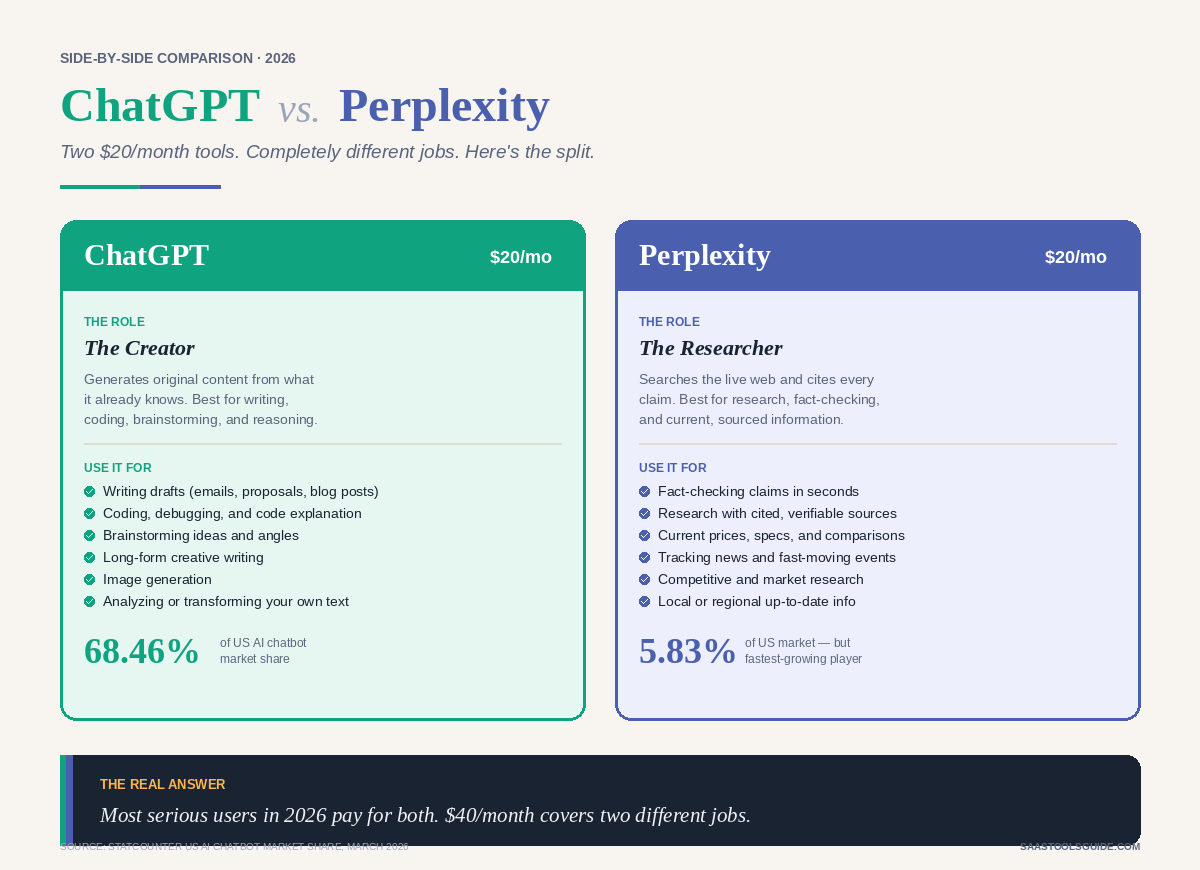
The default pick for a reason. GPT-5.4 (released earlier this year) brought meaningful improvements in reasoning and instruction-following, and the ecosystem — custom GPTs, voice mode, image generation, built-in web browsing — is still the broadest available.
- Best for: Brainstorming, coding help, quick research, image generation, voice dictation, custom GPTs for repeatable client workflows
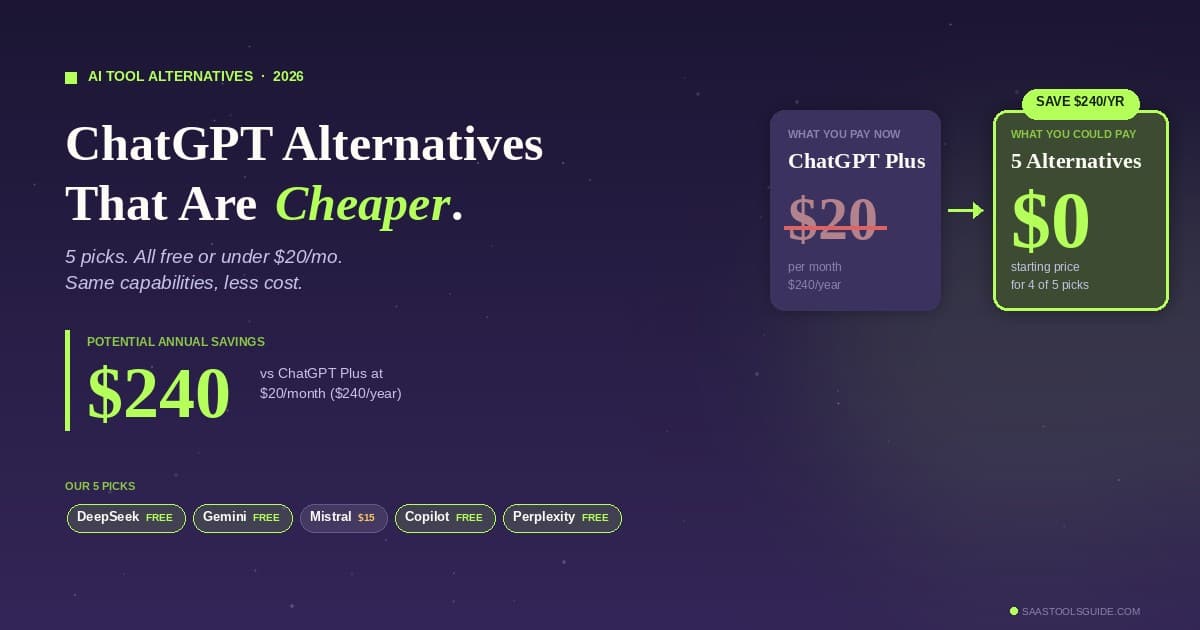
- Pricing: Free tier is usable • Plus $20/month (what most solopreneurs actually need) • Pro $200/month (overkill unless you’re running heavy workloads)
- Honest take: The free tier is good enough for many people. Upgrade only when rate limits start interrupting your workflow.
Claude — Best for Long-Form Writing and Deep Analysis
Where ChatGPT is the Swiss Army knife, Claude is the precision instrument. Its 200K token context window swallows entire contracts, full codebases, or months of customer feedback in one shot. The writing quality is noticeably more human — less of the “As an AI language model” cadence that clients can spot from a mile away.
- Best for: Proposals, long-form content, legal/contract review, code review, strategy documents, and anything requiring nuance
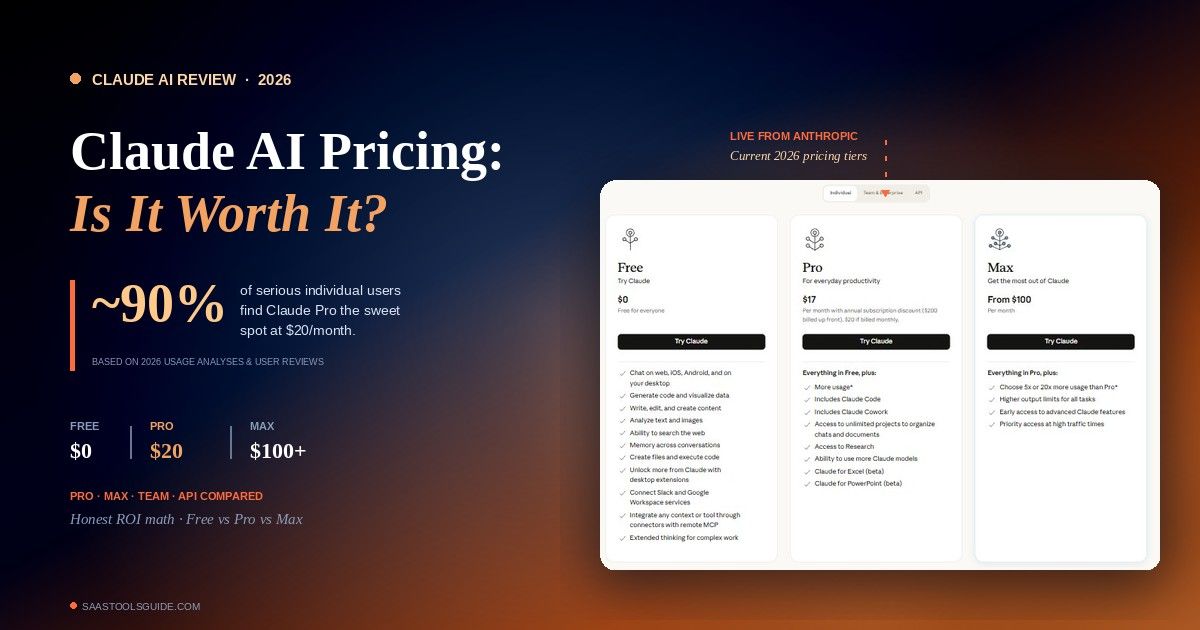
- Pricing: Free tier available • Pro $20/month • Max $100/month
- Honest take: If you do client-facing written work, Claude Pro pays for itself in the first week.
Perplexity — Best for Research
Google still has its uses, but for factual questions with sources you can actually cite, Perplexity is faster and cleaner. Solopreneurs use it to replace 80% of what used to be Google searches — competitive research, fact-checking, quick market questions.
- Pricing: Free tier is solid • Pro $20/month for advanced models and deeper searches
Recommended starter duo: Claude Pro + Perplexity Pro ($40/month). This combination alone will change how your week feels.
Writing, Content & Marketing
Notion AI — Your Second Brain with a Pulse
Notion has quietly become the nerve center for a huge share of solopreneurs. The AI layer — summarizing meeting notes, auto-filling database properties, searching across hundreds of pages in plain English — turned it from a note-taking app into an operating system for a business.
- Pricing: Free tier available • AI add-on $10/month per member
- Use it for: Content calendar, CRM-lite, SOPs, project tracking, knowledge base
Canva AI — Design Without a Designer
Canva’s AI features (Magic Design, Magic Write, background remover, AI image generation) are genuinely good now. For social graphics, thumbnails, carousels, and simple brand assets, you don’t need Adobe.
- Pricing: Free tier covers the basics • Pro $15/month
Midjourney — When You Need Images That Don’t Look AI-Generated
For thumbnails, blog hero images, and marketing visuals where quality matters, Midjourney is still the bar. The output is noticeably more stylized and consistent than the built-in image generators in ChatGPT or Canva.
- Pricing: Starts at $10/month
Video and Audio
Descript — Editing by Editing Words
Descript’s text-based editing is a genuine workflow shift. Cut a video or podcast by deleting sentences from a transcript. Remove filler words (“um,” “you know”) with one click. For solopreneur creators, it’s the fastest path from raw recording to publishable content.
- Pricing: Free tier • Hobbyist $19/month • Creator $35/month
OpusClip — Long Video to Short Clips, Automatically
Feed it a one-hour podcast or YouTube video; get back a week’s worth of short-form clips sized for TikTok, Reels, and Shorts — captions included. For creators who want omnipresence without the editing grind, this is the tool.
- Pricing: Starts around $19/month
ElevenLabs — Voice That Doesn’t Sound Like a Robot
If you do voiceover work, narration, or audio content and don’t want to record every draft yourself, ElevenLabs is ahead of the pack.
- Pricing: Free tier • Starter $5/month • Creator $22/month
Automation: The Invisible Employee
Automation is where solopreneurs either save 10 hours a week or quietly lose them to “I’ll just do it manually this once.”
Zapier — Easiest to Use
Still the king for ease of setup. Thousands of integrations, template workflows, and an interface designed for non-developers. The trade-off is cost: heavy usage gets expensive fast.
- Pricing: Free (100 tasks/month) • Professional $19.99/month and up
Make — Best Value for Serious Workflows
If you’re running more than a handful of automations, Make (formerly Integromat) usually costs a fraction of Zapier for the same work. Slightly steeper learning curve, but the visual flow builder is more powerful once you get it.
- Pricing: Free tier • Core plan around $10/month
n8n — Best for Technical Solopreneurs
Open-source, self-hostable, and genuinely cheap at scale. If you’re comfortable with a little technical setup, n8n handles complex multi-step AI workflows that would cost hundreds per month on Zapier.
The pragmatic recommendation: Start with Zapier if you want to ship this week. Move to Make once your task count makes the math painful. Go n8n only if you genuinely enjoy tinkering.
Scheduling and Meetings
Reclaim.ai — Smart Calendar Defense
Reclaim automatically protects your focus time, schedules recurring habits (exercise, admin blocks, deep work), and finds meeting slots that don’t fragment your day.
- Pricing: Free for two calendars • Starter $8/month
Calendly — The Booking Link Standard
Still the cleanest way to end “when are you free?” email threads with prospects and clients.
- Pricing: Free for one event type • Standard $10/month
Otter.ai or Fellow — Meeting Transcription and Notes
Record the call, get a searchable transcript, a summary, and a list of action items without taking notes yourself. For client-facing solopreneurs, this alone is worth the monthly fee.
- Pricing: Otter Free tier • Pro $16.99/month • Fellow plans start around $7/month
Bookkeeping and Finance
QuickBooks Solopreneur — The US Standard
For US-based solopreneurs, this is still the most practical choice. It auto-categorizes transactions, tracks mileage, estimates quarterly taxes, and integrates directly with TurboTax. Intuit Assist (the AI layer) lets you ask financial questions in plain language instead of digging through reports.
- Pricing: $20–30/month
Kick — The AI-Native Alternative
Kick is a newer AI-first accounting tool that runs bookkeeping in the background. It connects to your bank, auto-categorizes every transaction, and learns your patterns. Minimal interface, built for people who want to think about bookkeeping as little as humanly possible. Currently lighter on invoicing features than QuickBooks.
- Pricing: Free tier available
FreshBooks — Best if You Bill by the Hour
For service-based solopreneurs who live in invoices, time tracking, and client portals, FreshBooks has cleaner invoicing than QuickBooks.
- Pricing: From $19/month
CRM, Email, and Client Follow-Up
Attio — The CRM That Maintains Itself
Traditional CRMs die because they require manual data entry. Attio syncs your email and calendar automatically, enriches contacts, and surfaces who needs follow-up — with zero discipline on your part.
- Pricing: Free tier • Plus $29/month per user
Superhuman — Email on Fast-Forward
The argument against Superhuman is the $30/month sticker. The argument for it is that if you spend three hours a day in email, it’ll return an hour of that time to you. Built-in AI for drafting, summarizing, and triaging.
- Pricing: $30/month
AI Agents: The 2026 Wildcard
This is the category that didn’t really exist in 2024 and is now the most interesting frontier for solopreneurs.
Claude’s Cowork (desktop app) lets Claude execute multi-step tasks on your actual computer — pulling data from local spreadsheets, searching your email, drafting documents, organizing files. The “Dispatch” feature lets you assign tasks from your phone and come back to finished work.
Custom GPTs (inside ChatGPT Plus) are a lighter version of the same idea — trained on your brand voice, client docs, or a specific workflow.
Lindy.ai and similar agent platforms let you build AI “employees” for specific roles (inbox manager, research assistant, outreach specialist) without code.
My honest take: agents in 2026 are where automation tools were in 2020 — genuinely powerful for the right use cases, still rough around the edges, worth experimenting with early. Don’t bet your whole workflow on them yet. Do pick one repetitive task and automate it end-to-end.
Recommended Stacks by Business Stage
Rather than give you a 30-tool list and say “good luck,” here are three opinionated stacks based on where you actually are.
The $0 Starter Stack (Revenue under $2K/month)
- ChatGPT Free
- Claude Free
- Canva Free
- Notion Free
- Zapier Free (100 tasks/month)
- NotebookLM (free)
- Total: $0/month
You can run a validated, publishing, lead-capturing solo business on this. Upgrade only when a limit hurts.
The Essential Stack (Revenue $2K–$15K/month)
- Claude Pro ($20) + Perplexity Pro ($20)
- Notion AI ($10)
- Canva Pro ($15)
- Make Core (~$10)
- QuickBooks Solopreneur ($20)
- Calendly Standard ($10)
- Total: ~$105/month
This is the stack most serious US solopreneurs are running. It covers writing, research, design, automation, scheduling, and bookkeeping with room to grow.
The Scaling Stack (Revenue $15K+/month)
Add on as needed:
- Descript or OpusClip ($19–$35) if you create video
- Superhuman ($30) if email is eating your day
- Midjourney ($10) if visuals matter to your brand
- Attio ($29) once you have more than ~50 prospects in flight
- Reclaim Starter ($8) if your calendar is fragmented
- Total: ~$200–$300/month, replacing roughly $2,000/month of human help
How to Actually Build Your Stack (Without the FOMO)
The mistake most solopreneurs make is subscribing to tools because they’re trending on X or YouTube. Here’s the framework I use and recommend:
- Track where your time actually goes for one week. Not guessed — tracked. Most solopreneurs are shocked by how much time goes to email, scheduling, and content admin.
- Pick the single biggest time sink. That’s your first AI tool.
- Run it for two weeks. Measure hours saved, not features used.
- Add the next tool only when the first one has clear ROI.
- Audit quarterly. Cancel anything you haven’t actively used in 30 days.
The goal isn’t to have the most AI tools. It’s to reclaim the 10–20 hours a week that used to go to work only you could do but that AI now handles better.
FAQs About Best AI Tools for Solopreneurs
What’s the minimum AI spend to run a serious solo business in 2026?
Realistically, about $40–$100/month gets you a professional stack. Under $50/month is possible if you’re careful — Claude Pro + Make + QuickBooks Solopreneur covers most bases for roughly $50.
Should I use ChatGPT or Claude?
Both, if budget allows. If you can only pick one: Claude for long-form writing, client deliverables, and analysis. ChatGPT for everything else — brainstorming, images, voice, broader ecosystem.
Are free AI tools actually good enough?
In 2026, yes — for validating a business and early revenue. The free tiers of ChatGPT, Claude, Canva, Notion, and Zapier will get a disciplined solopreneur to $2K–$5K/month before paid upgrades meaningfully accelerate things.
How much time does an AI stack actually save?
The solopreneurs I’ve talked with report 10–20 hours per week back, most of it from automating content production, email follow-up, scheduling, and bookkeeping. At $50/hour self-worth, that’s $2,000–$4,000/month in reclaimed time for roughly $100/month in tools.
What’s the single best AI tool for a new solopreneur?
Claude, free tier. Start there, use it daily for two weeks, and you’ll have a much better sense of what other tools you actually need.
The Bottom Line
The best AI tools for solopreneurs in 2026 aren’t the flashiest — they’re the ones that quietly remove 10+ hours of non-revenue work from your week and leave you with the energy to do what only you can do.
Pick one tool from the list above. Set it up today. Make it save you time this week. Add the next one only when the first one has proven itself.
That’s how a one-person business becomes a real business — not by doing more, but by building a stack that does the work that used to require a team.